This article outlines how you can correct records that contain errors within a submitted file on PMP Clearinghouse.
Incorrect Data Submissions
Please note that if incorrect data was submitted (E.g. wrong patient name, wrong doctor name, incorrect fill date, etc.) you must submit an update file. Incorrect data cannot be corrected within PMP Clearinghouse using this procedure. Instead, reference your state's dispensation guide.
- Navigate to https://pmpclearinghouse.net and login to your account.
- Click on "File Submissions" at the top of the screen.
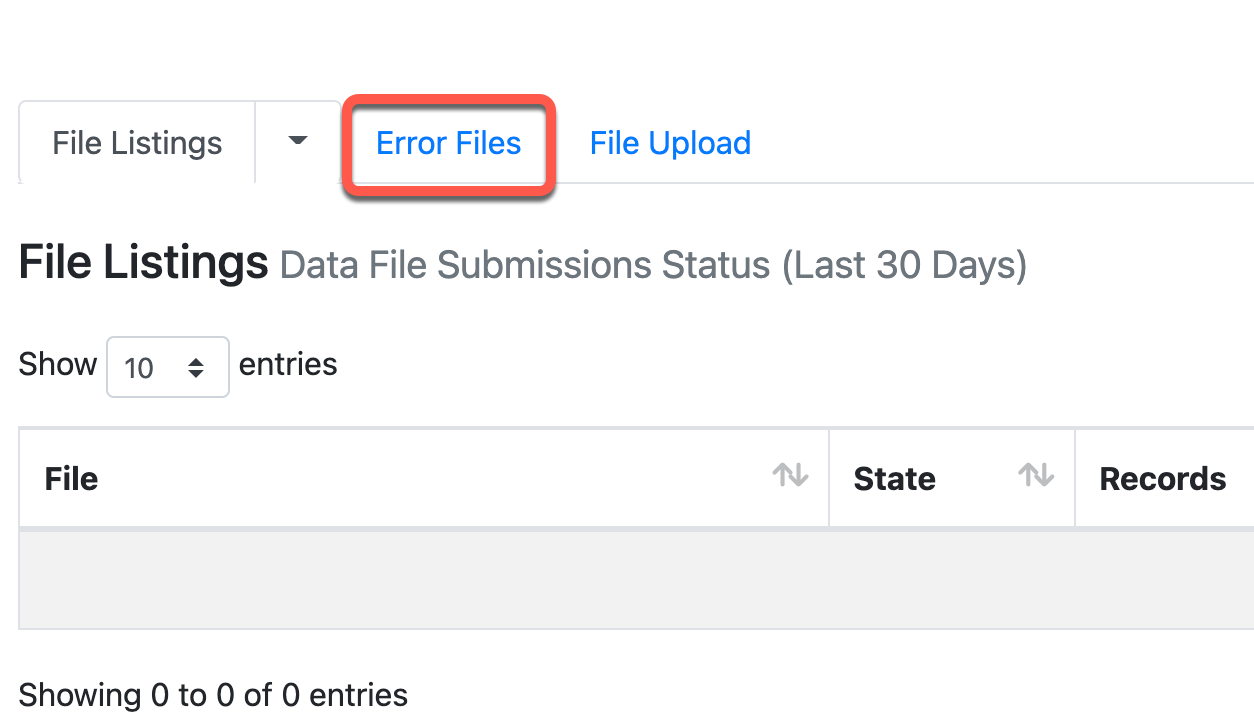
- Click on the "Error Files".
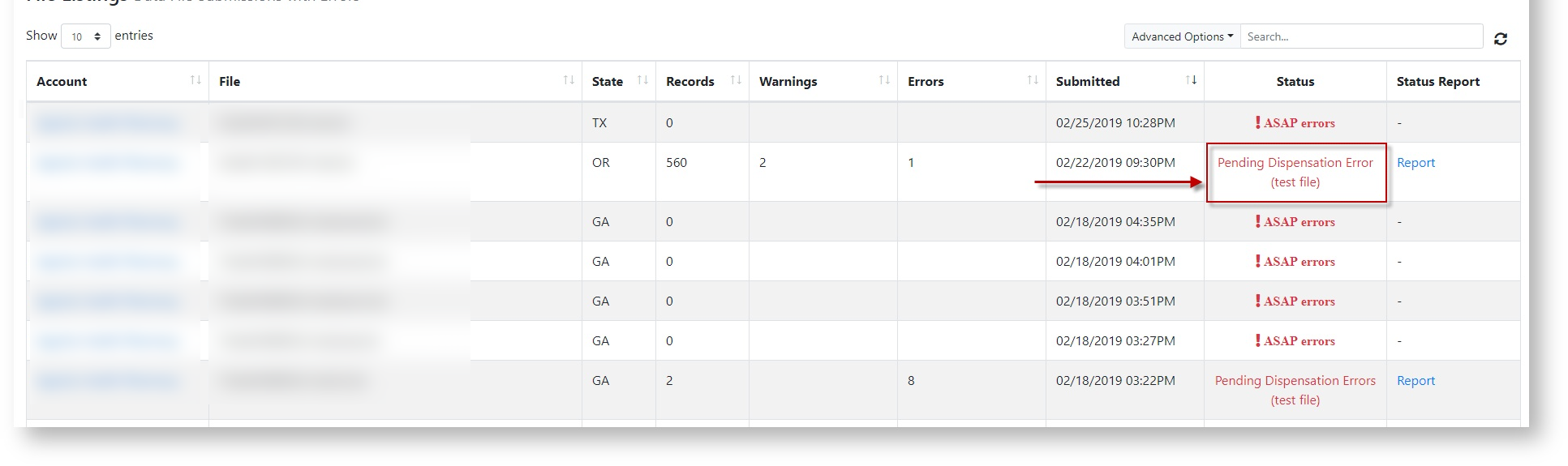
- In the "Status" column, click on "Pending Dispensation Errors" for a file that contains error.
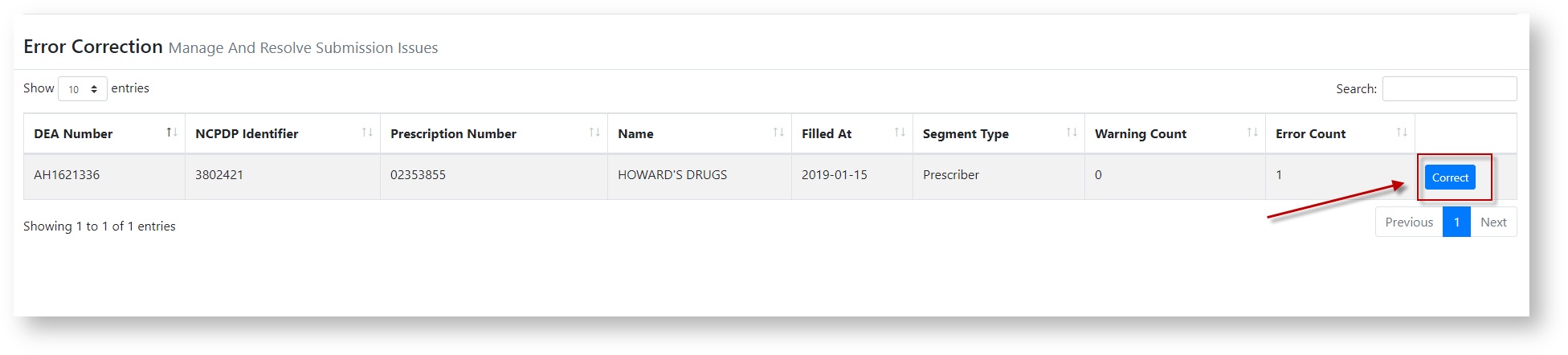
- Click "Correct" on the record that you need to correct.
- The screen will update to show the record's details and any fields that contain errors.
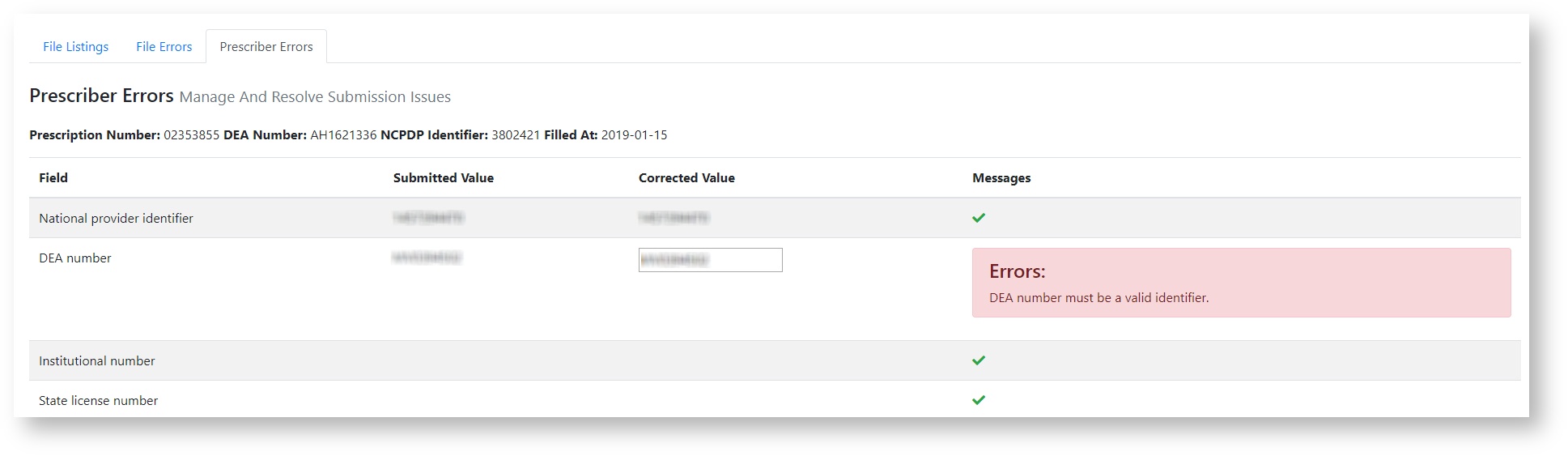
- Input the correct value(s) for all fields that contain erroneous data.
- Once all corrections have been made, click "Submit".
PMP Clearinghouse will update the records accordingly.