This article outlines the steps you need to take if you receive the following message at the time of registration: "We could not process your registration. Unable to complete sftp add request. Response code from sftp service was 409: User prefix already taken. Please complete account registration and continue sftp registration at a later time."

-
Uncheck the "Enable SFTP Access" box in the Data Submission section
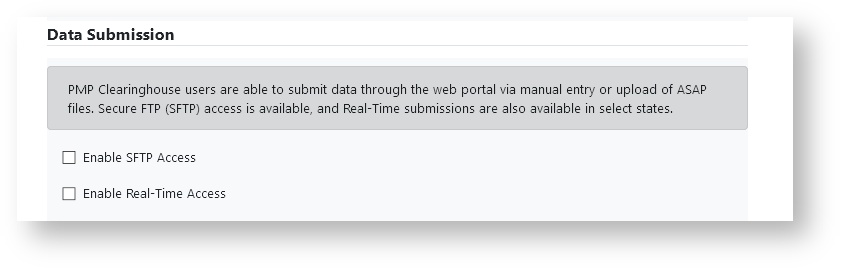
- Continue to the Submissions Destinations section and complete your registration according to steps 6-8 in the article: How to Register and verify your email address. Instructions on email verification can be found here: How to verify your email address
-
After you have completed email verification, login at https://pmpclearinghouse.net
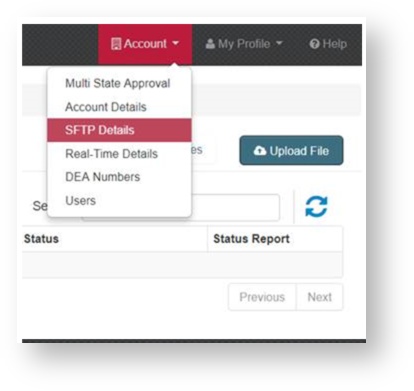
- At the top of page, Click on "Account"
-
A drop down will appear, click "SFTP Details"
-
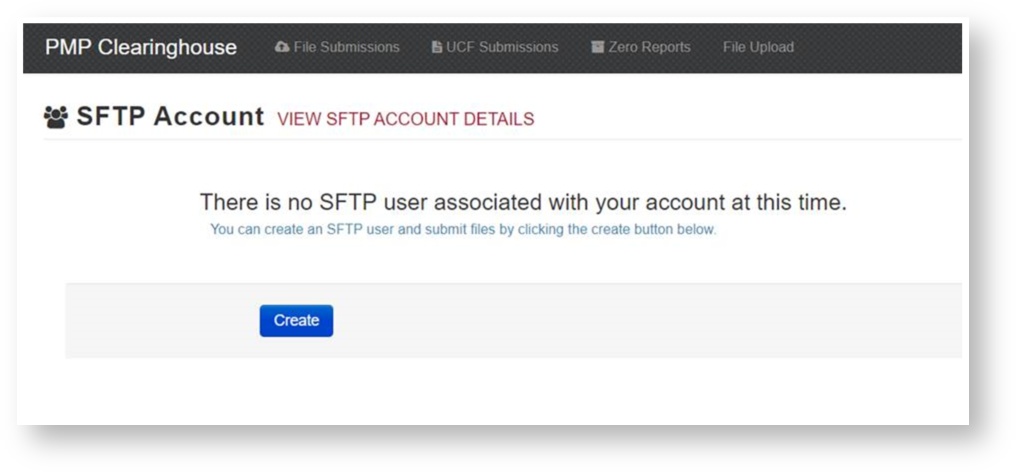
Click "Create"
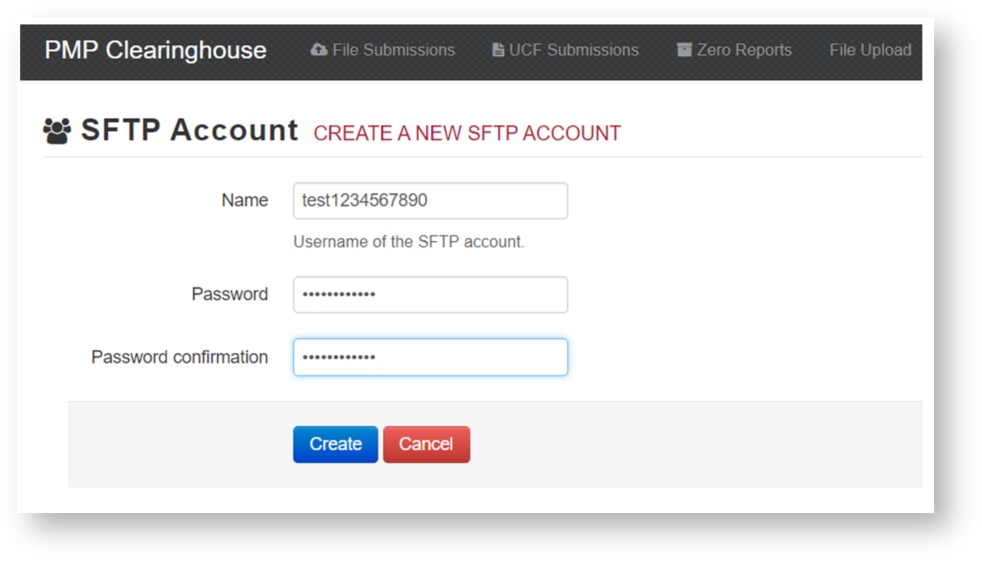
- Create an sFTP username, please note the following:
- sFTP usernames can only contain lowercase letters and numbers.
- "@prodpmpsftp" will automatically be added to the end of your username
- Create an sFTP password that follows these guidelines:
- sFTP passwords must be at least eight characters long
- sFTP passwords must contain at least one capital letter, one lowercase letter, and one special character.
-
Click "Create".
Your sFTP account username and password are now ready to use.